How to Create a Budget for Living Expenses in Retirement
Where do I create a budget for retirement expenses?
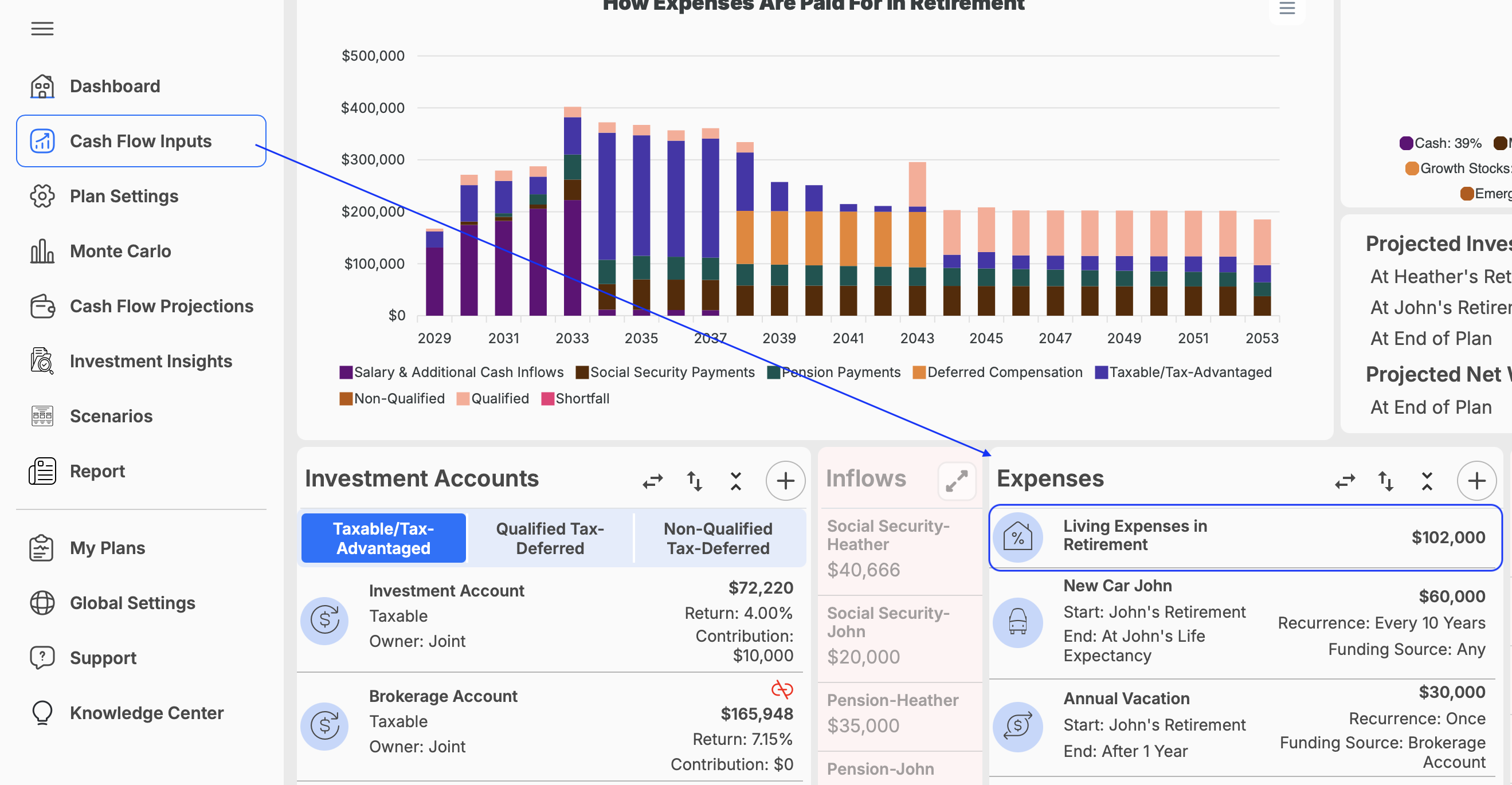
Your annual retirement expenses and detailed budget can be entered under Cash Flow Inputs.
To create a retirement budget:
- Click on Cash Flow Inputs in the navigation menu.
- Select the Expenses section.
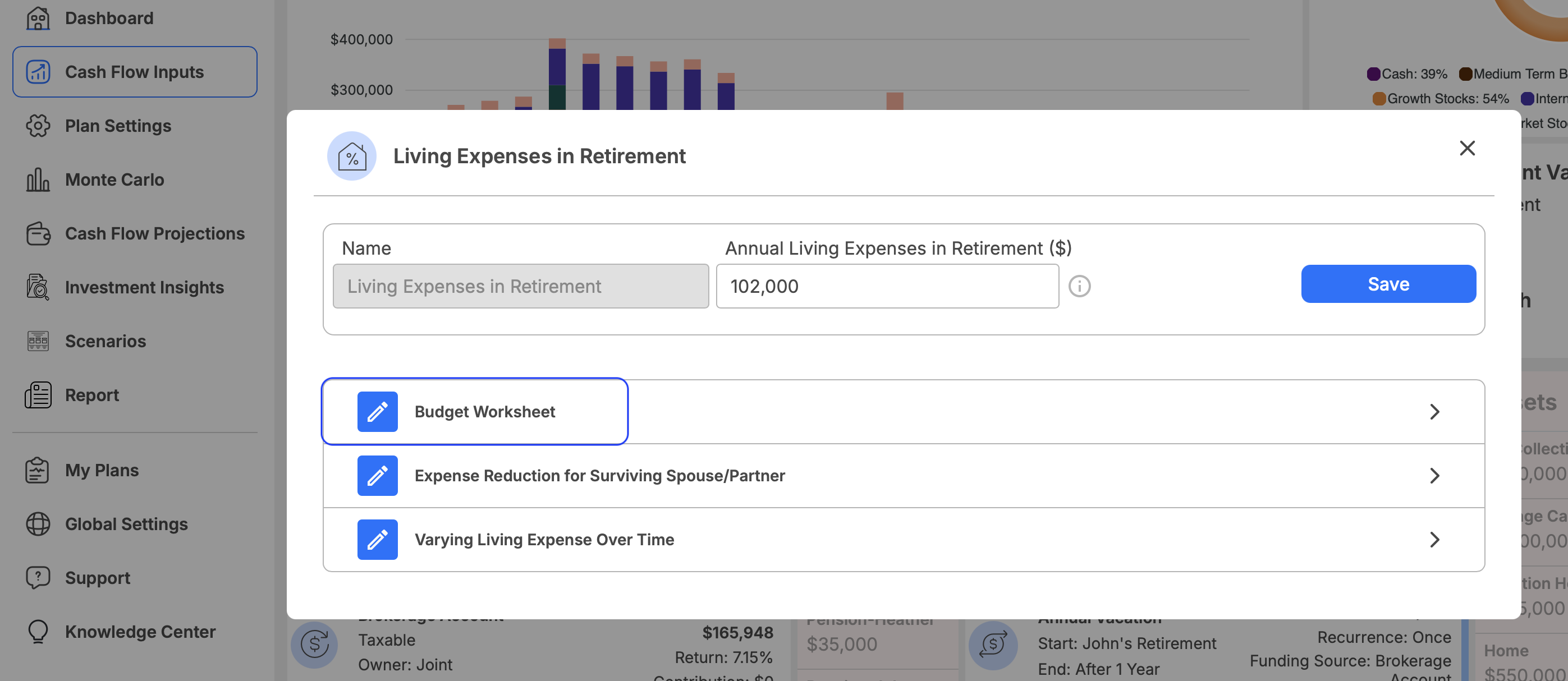
- Locate the Living Expenses in Retirement input.
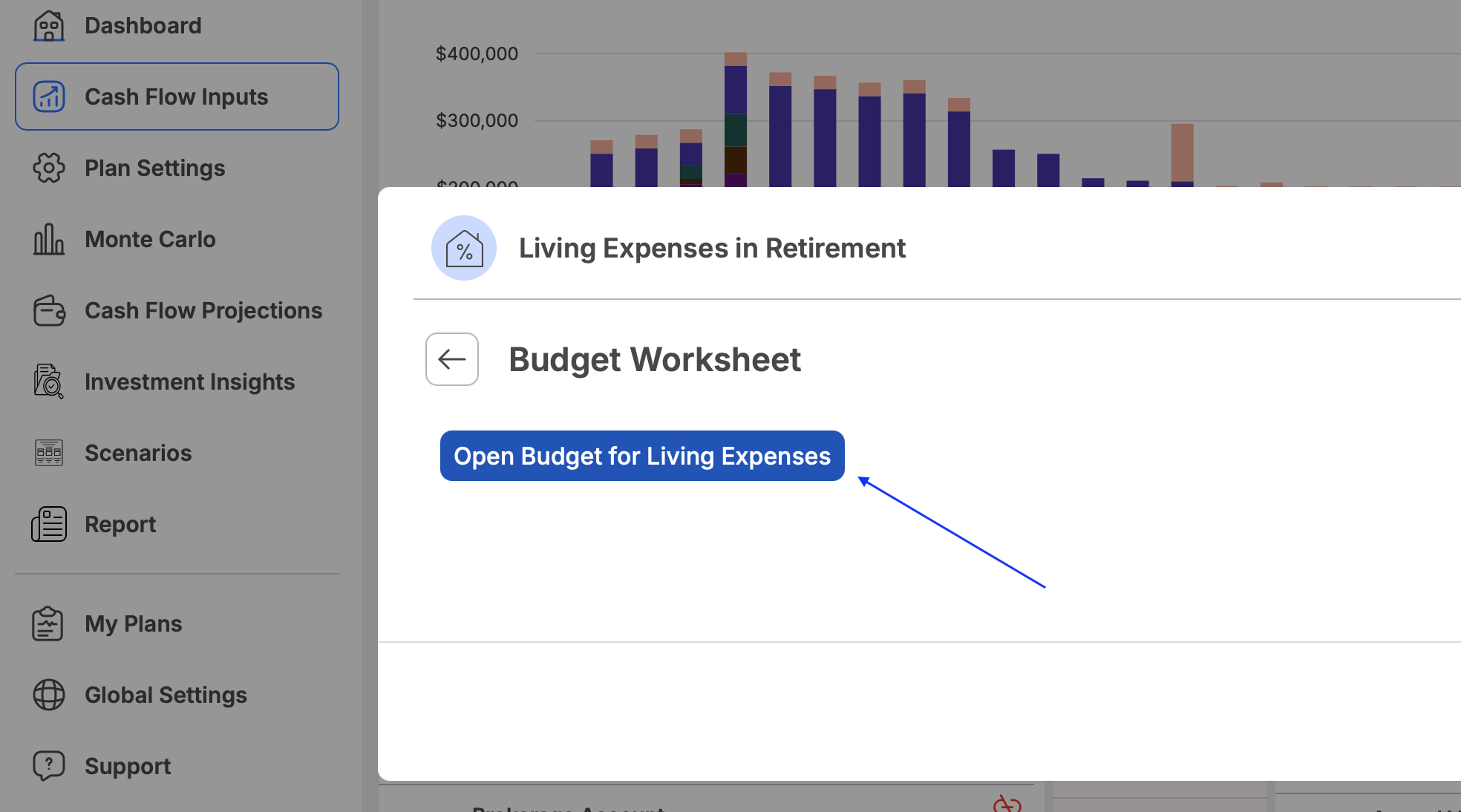
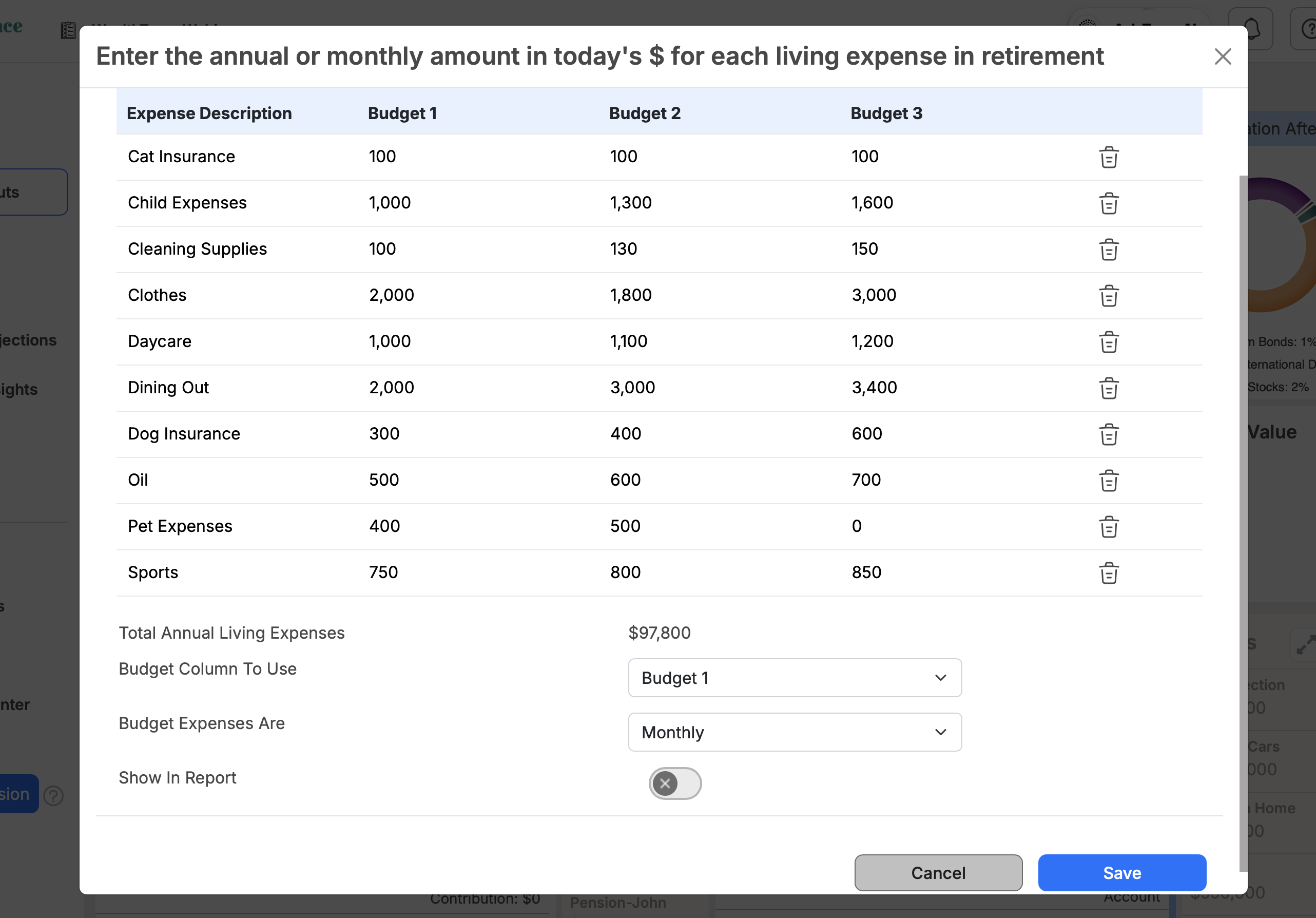
- Enter your total estimated retirement expenses directly, or use the budget tool to create a more detailed breakdown.
- Choose whether to enter the budget as monthly or annual amounts.
- Save your changes.
You can create up to three budgets and alternate between them to compare different spending scenarios.
The retirement budget begins when the first person in the plan retires and continues through the final life expectancy entered in the plan. It is intended for living expenses during retirement, not expenses before retirement.