How to Model Semi-Retirement or Part-Time Work in Retirement
How can I model semi-retirement in WealthTrace if I'm still earning income but also need to withdraw from my retirement savings to cover expenses?
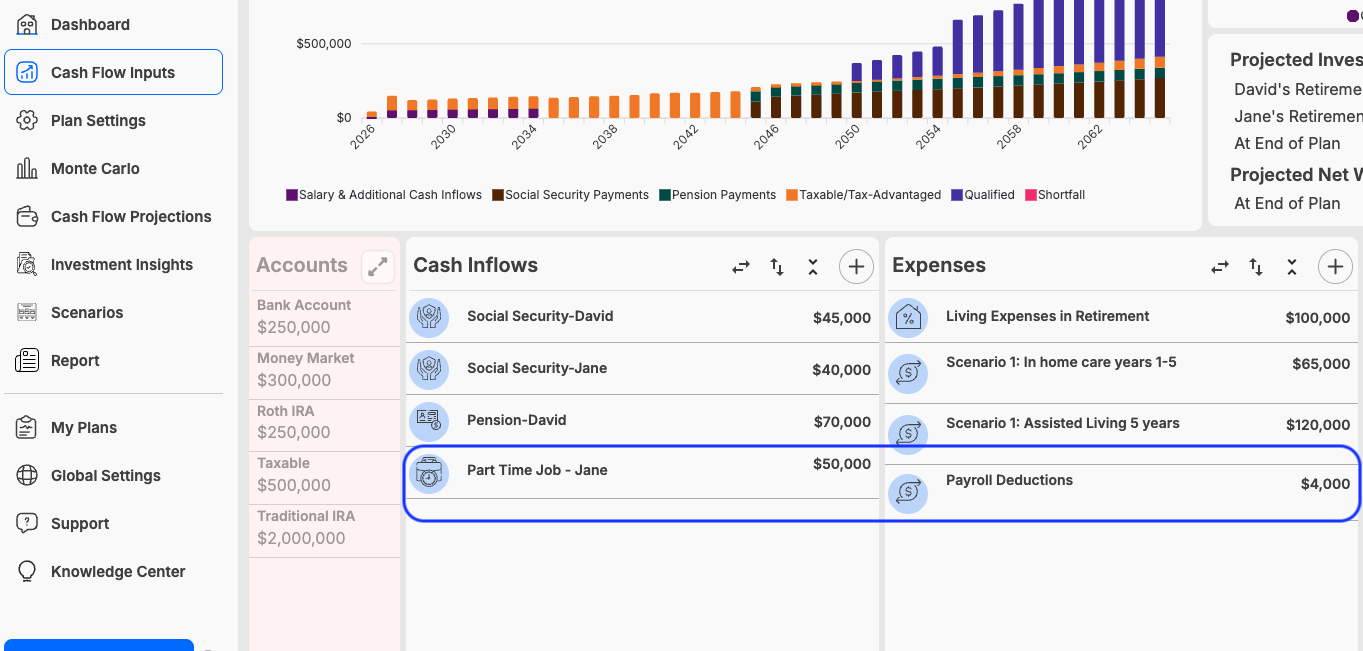
You can model semi-retirement in WealthTrace by setting your retirement date to when you begin semi-retirement and entering your part-time employment income as an Additional Cash Inflow.
This allows WealthTrace to use your part-time income to help cover living expenses while withdrawing from your investments to cover any remaining shortfall.
How to Set Up Semi-Retirement
Step 1: Set Your Retirement Date/Mark Yourself as Retired
Set your retirement date to the year you plan to begin semi-retirement, even if you intend to continue working part-time. If you have started your semi retirement, you can mark yourself as retired.
This tells WealthTrace to begin calculating your retirement living expenses and investment withdrawals.
Step 2: Add Your Part-Time Income
- Navigate to Cash Flow Inputs → Cash Inflows.
- Add a new cash inflow for your part-time employment income.
- Enter your expected annual gross income.
- Set the start and end dates to reflect how long you expect to continue working.
- Enter the appropriate income tax rate for this income.
Step 3: Account for Payroll Taxes
Payroll taxes are not automatically deducted from Cash Inflows.
To account for these taxes:
- Navigate to Cash Flow Inputs -> Expenses.
- Add an expense for your estimated annual payroll taxes.
- Set the expense to begin and end during the same period as your part-time employment.
For additional instructions, see Part-Time Job and Payroll Taxes in Retirement.
Step 4: Review Your Retirement Expenses
Make sure your Annual Living Expenses in Retirement reflect your expected spending during semi-retirement.
WealthTrace will use your available income to help cover these expenses and withdraw from your investments when additional funds are needed.
Example: How Semi-Retirement Works
Suppose you begin semi-retirement with the following annual amounts:
- Annual living expenses: $100,000
- Part-time employment income after taxes: $50,000
- Remaining expenses: $50,000
WealthTrace will apply your available part-time income toward your living expenses and use investment withdrawals to cover the remaining shortfall, accounting for applicable taxes and other cash flows.
When your part-time income ends, WealthTrace will adjust your projections accordingly.
Frequently Asked Questions
Can I be marked as retired and still earn employment income?
Yes. You can set your retirement date and continue receiving employment income by entering it under Cash Inflows.
Will WealthTrace withdraw from my retirement accounts if my part-time income doesn't cover all my expenses?
Yes. Once retirement begins, WealthTrace uses available income toward your retirement expenses and draws from investments when additional funds are needed.
Should I enter gross income or after-tax income?
Enter your gross employment income and use the income tax rate field to account for income taxes. Payroll taxes should be entered separately as an additional expense.
What happens when I stop working completely?
Set an end date for your part-time income. Once that income ends, WealthTrace will no longer include it in your projections and will calculate the additional withdrawals needed from your investments.
Related Articles