How to Update Personal Information
Where can I change my personal information such as retirement date or life expectancy?
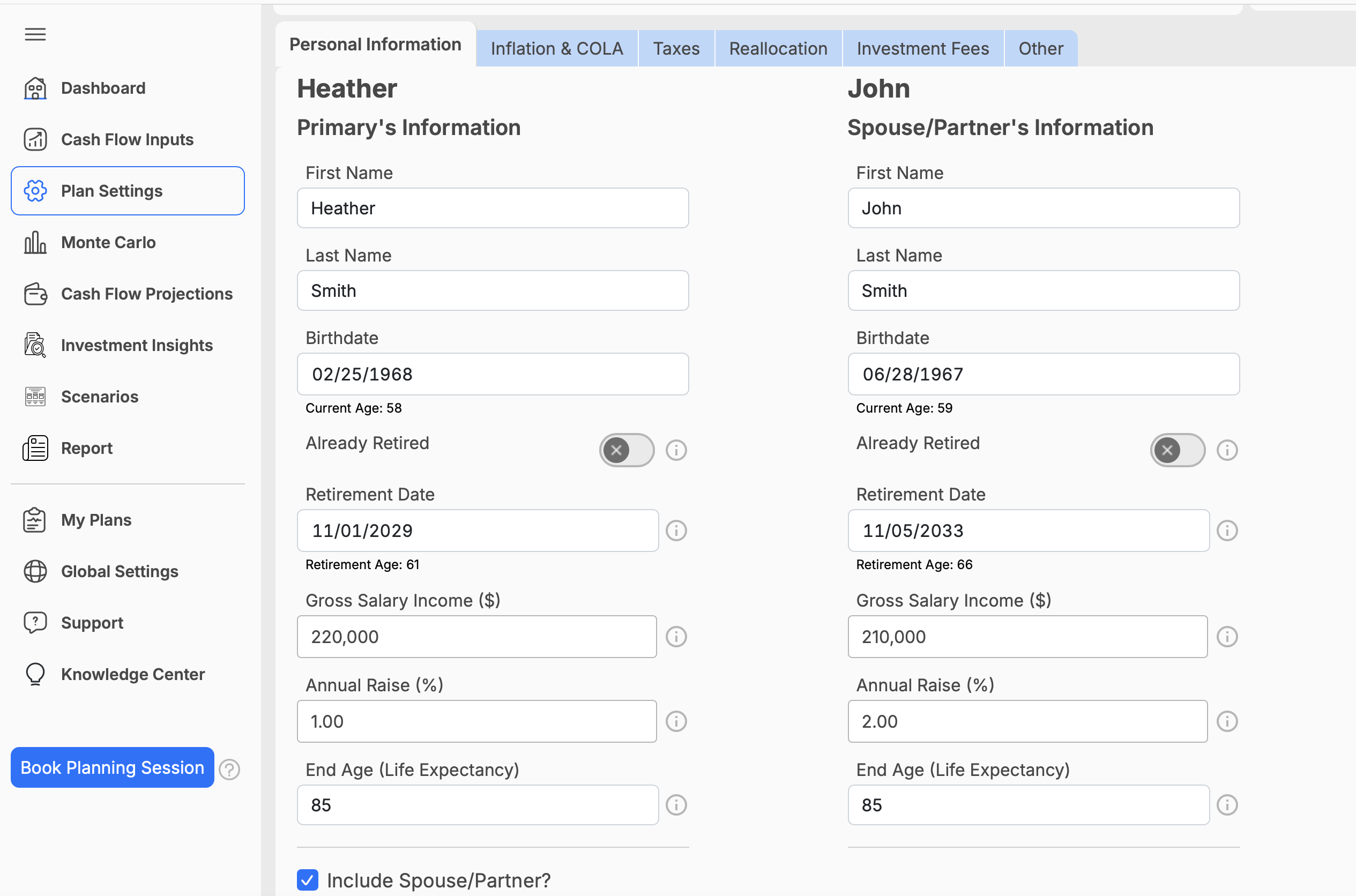
You can update your personal and retirement information from the Personal Information section in Plan Settings.
To make changes:
- Click on Plan Settings in the navigation menu.
- Select the Personal Information tab.
- Review or update your:
- First and Last name
- Date of birth
- Retirement date
- Salary
- Annual raise
- Life expectancy
- Add or remove a spouse, if needed.
- Your changes will automatically save.
Keeping this information up to date helps ensure that your retirement timeline, income projections, and other plan calculations are based on accurate assumptions.