Where to Enter a Mortgage or Other Loan
Where do I enter a mortgage expense or Other Loans?
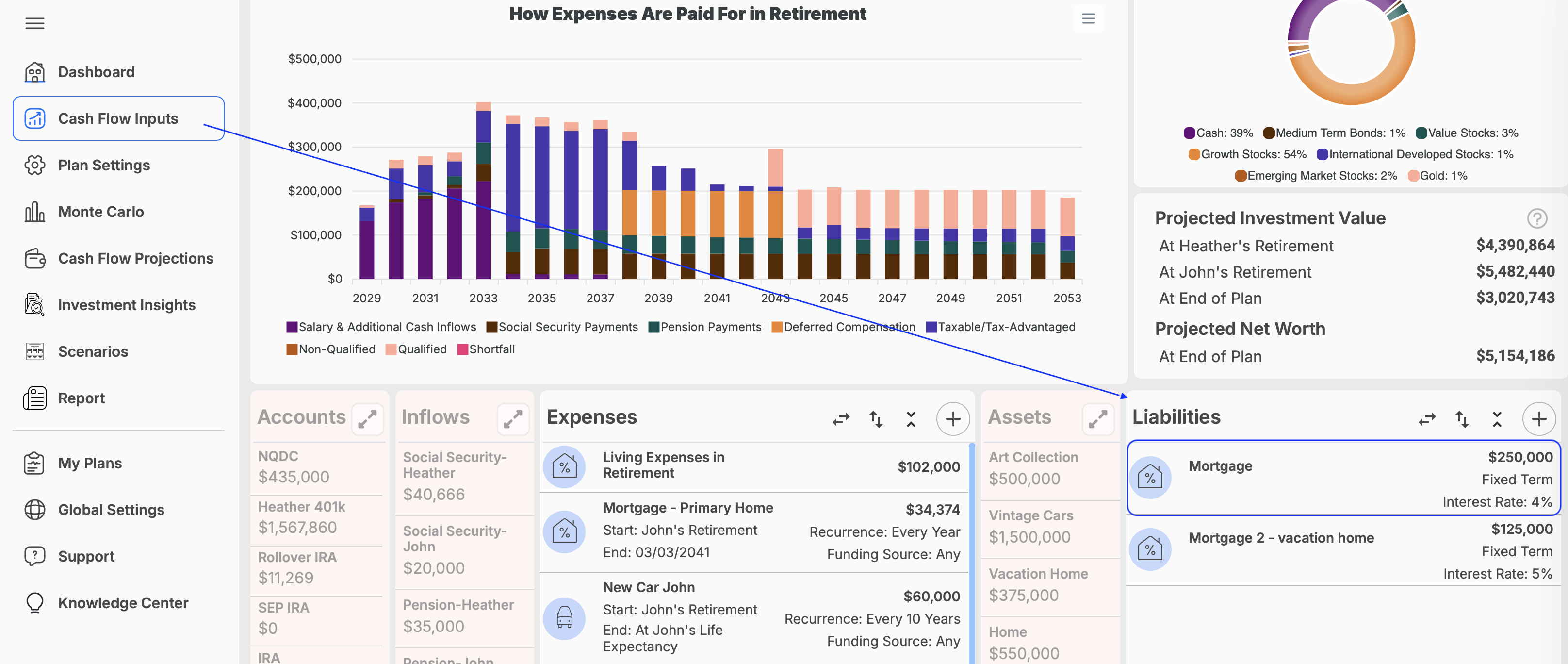
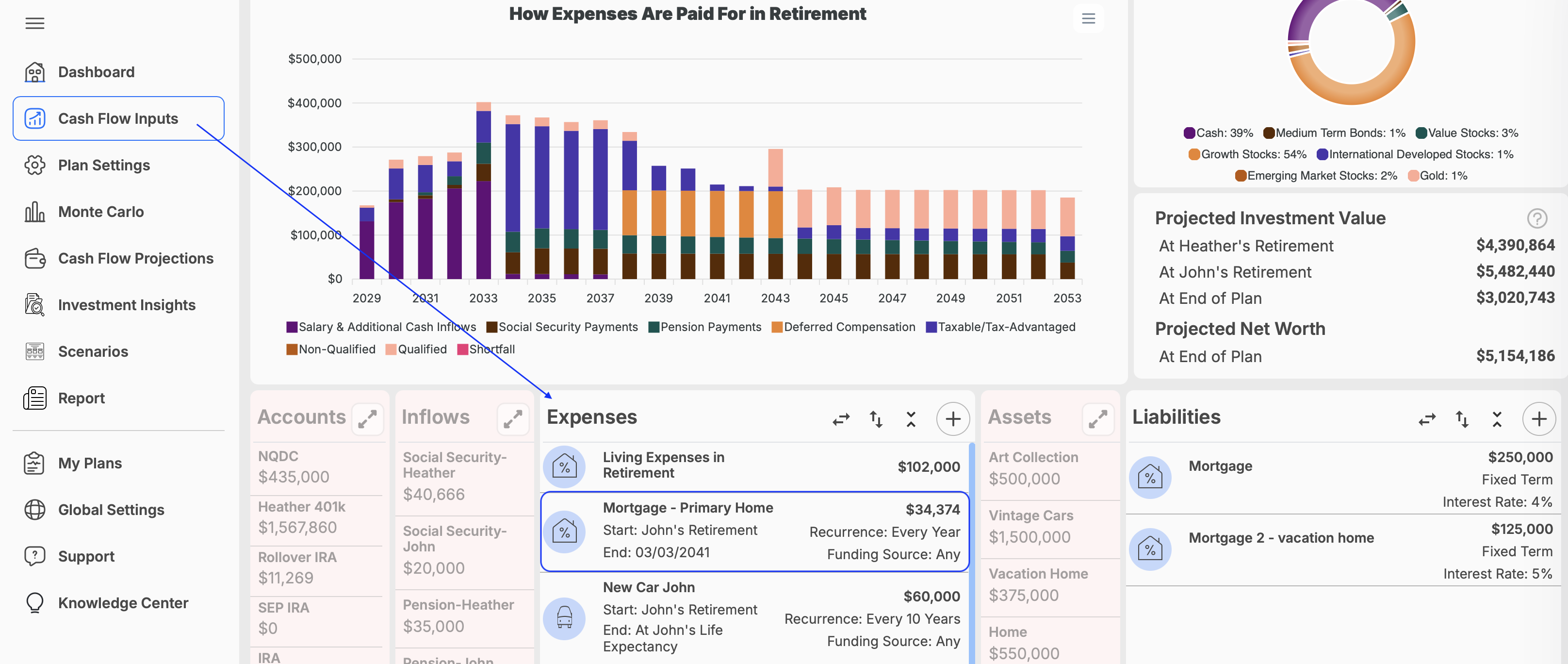
A mortgage or other loan should be entered in both the Liabilities and Expenses sections. The liability tracks the outstanding loan balance (affects net worth), while the expense accounts for the payments made from your plan.
Add the Mortgage as a Liability
- Click on Cash Flow Inputs on the navigation menu.
- Open the Liabilities section.
- Add a new liability.
- Enter the loan balance, interest rate, payment information, and applicable dates.
- Save the liability.
- When prompted, select Yes to have WealthTrace calculate and add the mortgage payment as an expense for you.
This allows WealthTrace to track the outstanding balance of the mortgage or loan.
Add the Mortgage Payment Manually
When you select Yes after saving the liability, WealthTrace automatically creates the related mortgage expense. If you choose not to use this option, you can add it manually:
- Go to Cash Flow Inputs.
- Open the Expenses section.
- Add a new expense for the mortgage or loan payment.
- Enter the payment amount, frequency, and applicable dates.
- Save the expense.
Be careful not to add the payment manually if WealthTrace has already created it for you, as this would count the mortgage expense twice.